|
Messages 1 - 45 of 57
First | Prev. | 1 2 | Next | Last |
ahimsa
 |
||||||||||||||
| Posted: October 15, 2007 1:59 am | ||||||||||||||
|
ahimsa
|
That looks real! You did a great job on this.

You're still a brat.  |
|||||||||||||
| Posted: October 15, 2007 1:59 am | ||||||||||||||
Carl
 |
HEHE I've almost milked Dilla scratch snippet to death
No you are |
|||||||||||||
| Posted: October 15, 2007 2:01 am | ||||||||||||||
|
ahimsa
|
You found a lot inside it. Nothing wrong with that. You made good use of that snippet and I think that is what people who make snippets hope for. My snippet has never been used as far as I've seen.
Brat |
|||||||||||||
| Posted: October 15, 2007 2:06 am | ||||||||||||||
|
Carl
|
||||||||||||||
| Posted: October 15, 2007 2:14 am | ||||||||||||||
|
ahimsa
|
||||||||||||||
| Posted: October 15, 2007 2:19 am | ||||||||||||||
|
Carl
|
had a look and sounds like a challenge
  - trouble is it look like a good complete filter already - but you've inspired me to have a play - trouble is it look like a good complete filter already - but you've inspired me to have a play |
|||||||||||||
| Posted: October 15, 2007 2:26 am | ||||||||||||||
Crapadilla
 |
Interesting one, Carl!
--- Crapadilla says: "Damn you, stupid redundant feature requests!" ;) |
|||||||||||||
| Posted: October 15, 2007 5:13 am | ||||||||||||||
StevieJ
 |
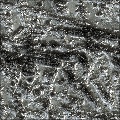
What is this abomination???
 LOL.... just kidding, buddy......looks cool.....Kinda like some kind of alloy alien matallic surface LOL.... just kidding, buddy......looks cool.....Kinda like some kind of alloy alien matallic surface Steve
"Buzzards gotta eat...same as worms..." - Clint :) |
|||||||||||||
| Posted: October 15, 2007 12:16 pm | ||||||||||||||
Kraellin
 |
i like the marring and gouging on this, but there's something about the material being gouged that looks odd to me. so, i mostly like this one, but something somewhat artificial looking about the base material i cant quite buy.
If wishes were horses... there'd be a whole lot of horse crap to clean up!
Craig |
|||||||||||||
| Posted: October 15, 2007 1:15 pm | ||||||||||||||
| uuk |
Very Very Very nice filter Carl,
looks very realistic, But... it is a bit 'Noisy' ( has a little too much noise ) But other than that, GREAT Filter |
|||||||||||||
| Posted: October 15, 2007 10:52 pm | ||||||||||||||
|
Carl
|
it not as sharp as i'd like so will work a bit on it when i get a chance
thanks all for comments |
|||||||||||||
| Posted: October 17, 2007 12:34 am | ||||||||||||||
|
StevieJ
|
Yeah, I would take out that light perlin noise layer altogether.....then metal/chrome the hell out of it.....I have just the filter to help you do it  Steve
"Buzzards gotta eat...same as worms..." - Clint :) |
|||||||||||||
| Posted: October 18, 2007 12:47 am | ||||||||||||||
KGtheway2B
 |
Very nice filter, I'd love to make a few suggestions though,
I would really like to see you give the diffuse map a bit more of the detail (grain and noise) instead of having the normal map the primary source. If you have good luck adding diffuse detail, maybe you could de-grain the normal map just a bit too. Here's a good example- http://www.filterforge.com/filters/938.html look at the diffuse and normals here, the normal map there is a bit less grainy (which is a better use for normals) but the diffuse has lots of detail. I've noticed this on your other excellent concrete textures: They both look great when rendered from filterforge, but the diffuse maps are somewhat of a let-down, I know you can rock these things crazy good! If you come up with a good concrete diffuse technique be sure to update your other ones too! !!! http://www.filterforge.com/filters/3524-diffuse.html !!! http://www.filterforge.com/filters/3445-diffuse.html Had a look at your other stuff- great collection! (I'd kill for a bullet hole generator that had transparency!) |
|||||||||||||
| Posted: October 19, 2007 12:11 am | ||||||||||||||
|
Carl
|
Thanks KG for your post it has prompted me to try understand mapping better [ I'm a traditional 2d artist ] I have adjusted this filter as you have suggested and there is also now controls for varying the noise in the normal map, will resubmit now for Monday
. I will look at the other filters next week as they're fairly complicated and will need a greater amount of rewiring and time, also I'll have look at a bullet hole generator with transparency . I think I might have to reassess some of my other surface filters. Appreciate your post  |
|||||||||||||
| Posted: October 19, 2007 8:26 am | ||||||||||||||
|
StevieJ
|
Hmmmmmmm.....does sound familiar
This filter makes me feel "gouged and scared" .....I think you meant "scarred" on the spelling .....but "scared" works too Just kidding, buddy.....how's the update coming along??? Steve
"Buzzards gotta eat...same as worms..." - Clint :) |
|||||||||||||
| Posted: October 19, 2007 10:26 am | ||||||||||||||
|
StevieJ
|
Looks much clearer
Nice work!!!
So, this work is still "scared", eh??? Steve
"Buzzards gotta eat...same as worms..." - Clint :) |
|||||||||||||
| Posted: October 22, 2007 9:47 am | ||||||||||||||
|
KGtheway2B
|
Big improvement!
If you still have access to the old version send me a diffuse and normal from it. I'll have to show you an in-game comparison so you can see the difference. |
|||||||||||||
| Posted: October 22, 2007 12:29 pm | ||||||||||||||
|
Carl
|
mmmm another update I see 
Thanks KG |
|||||||||||||
| Posted: October 23, 2007 6:27 am | ||||||||||||||
|
Kraellin
|
well, 'scared' works if you consider those gouge marks as fingernails on the inside of a coffin
If wishes were horses... there'd be a whole lot of horse crap to clean up!
Craig |
|||||||||||||
| Posted: October 23, 2007 9:24 am | ||||||||||||||
|
Vladimir Golovin
Administrator |
Looks very good on thumbnails, but lacks details on larger renders.
|
|||||||||||||
| Posted: October 26, 2007 6:14 am | ||||||||||||||
|
Carl
|
Hi Vlad, are you talking about a particular map or just the whole thing, I would love to know so I can make better filters and get this one right
|
|||||||||||||
| Posted: October 27, 2007 1:21 am | ||||||||||||||
|
KGtheway2B
|
Diffuse map:
-Color- You made a step in the right direction with the diffuse changes, but I think you should go a bit further. From what I can tell right now the color in this is determined only by the lighting situation. It has no color besides the little bit of gray in the swirley details. Add a "base" color, gray would be the typical choice for your presets, but who knows, maybe red or blue might look good, you definitely want to give people the choice. -Detail- You are on the right track here with the shifting from normal grain to diffuse grain, but the diffuse is still lacking. I think that if you succeed in getting the normals up to par a diffuse map with less contrast (and more of a basic flat detail) would do wonders. Take a look at this diffuse: http://www.filterforge.com/filters/1384-diffuse.html (Ignore the top and bottom detail, focus on the "belt" in the middle) It's fairly plain, it's got some nifty details here and there but for the most part it seems to have fairly low contrast and some boring colors. If you added some more oomph to the diffuse (even some perlin noise would go a great distance) it would be great. EDIT: Here's a nifty noise you might be able to use: http://www.filterforge.com/filters/4516.html Normal Map: -Too 'Smooth'- Sharpening up the look of the normal map would be a big help for this filter. It would make the cuts and gouges look a bit more like they were scratched instead of smoothed off. Now I'm not just saying pass the normal by a sharpen filter, what you need to do is make the edges look rougher, take a look at this one: http://www.filterforge.com/filters/1478.html that's a good example of one approach you might take. (Although I think you shouldn't go quite that rough, especially for the scratches) I'm gonna submit this before I accidentally close the window. I'll edit if I find it needs better explanation. Also: once you get this one perfect, I demand you go back and re-do your other concrete filters too. |
|||||||||||||
| Posted: October 28, 2007 2:25 am | ||||||||||||||
|
Carl
|
Excellent KG, going to work on your helpful advice - Thankyou very much
|
|||||||||||||
| Posted: October 29, 2007 1:48 am | ||||||||||||||
|
Vladimir Golovin
Administrator |
I was talking about the default preset. |
|||||||||||||
| Posted: October 29, 2007 6:57 am | ||||||||||||||
|
Carl
|
Well it been rejigged and resubmitted for reappraisal - hope you like the improvements
|
|||||||||||||
| Posted: October 31, 2007 5:07 am | ||||||||||||||
|
Vladimir Golovin
Administrator |
Yes, it's much better now -- looks excellent with the right lighting:
 |
|||||||||||||
| Posted: October 31, 2007 8:04 am | ||||||||||||||
|
Vladimir Golovin
Administrator |
For the example above I used the default preset -- I changed the lighting environment to "Forest", and moved the sun to the middle of the left hemisphere.
|
|||||||||||||
| Posted: October 31, 2007 8:06 am | ||||||||||||||
|
Kraellin
|
yup, that's lookin better.
If wishes were horses... there'd be a whole lot of horse crap to clean up!
Craig |
|||||||||||||
| Posted: October 31, 2007 11:20 am | ||||||||||||||
|
Crapadilla
|
Vlad, that one looks excellent. This is starting to look like one hell of a thoroughly battered metal surface!
--- Crapadilla says: "Damn you, stupid redundant feature requests!" ;) |
|||||||||||||
| Posted: October 31, 2007 11:23 am | ||||||||||||||
|
Kraellin
|
now that's interesting, dilla, cause i was seeing gouged and chipped rock. lol. aint that just always the way
If wishes were horses... there'd be a whole lot of horse crap to clean up!
Craig |
|||||||||||||
| Posted: October 31, 2007 11:36 am | ||||||||||||||
|
Crapadilla
|
Well, even through my LCD I can smell that the sample Vlad posted above is definitely metallic!
--- Crapadilla says: "Damn you, stupid redundant feature requests!" ;) |
|||||||||||||
| Posted: October 31, 2007 11:39 am | ||||||||||||||
|
Kraellin
|
hehehe.
If wishes were horses... there'd be a whole lot of horse crap to clean up!
Craig |
|||||||||||||
| Posted: October 31, 2007 12:02 pm | ||||||||||||||
|
Vladimir Golovin
Administrator |
Yes, I think re-specializing this filter to metallic surfaces is a good idea. |
|||||||||||||
| Posted: November 1, 2007 9:06 am | ||||||||||||||
|
Crapadilla
|
I agree.
And it definitely needs a name-change (or at least a spelling correction)! --- Crapadilla says: "Damn you, stupid redundant feature requests!" ;) |
|||||||||||||
| Posted: November 1, 2007 6:54 pm | ||||||||||||||
| jffe |
The Perlin Noise with the Gain Curve going into it can have the details dropped to 20 without any harm to the look, the 5 Perlin Noise's used to the scratches is overkill, you could just use one, and rotate them with ProfGrads and probably save another little bit of render time there. The Noise Distortion component can have the details dropped to 20 and not really suffer any loss of detail. I don't wanna nit-pick it to death, there's lots of little speed increases possible in this one, which is a good thing, it means it can be made to run much faster.
Meanwhile, it looks really good.
jffe Filter Forger |
|||||||||||||
| Posted: November 1, 2007 11:56 pm | ||||||||||||||
|
Carl
|
I can remap the reflective blurring to restrict.
Yep does look better - will use suggestion
will have a look at that - every new bit slowed it down more and more 
thanks every one - this one has turned out to be a good learning help |
|||||||||||||
| Posted: November 2, 2007 10:25 pm | ||||||||||||||
|
KGtheway2B
|
Oh HEEEEEL yea!
|
|||||||||||||
| Posted: November 4, 2007 1:22 am | ||||||||||||||
|
Carl
|
Hey Kg Been having new computer internet problem so its taken a while to get through all my emails. You've been huge help with this fitter and for future filters, I owe you one
|
|||||||||||||
| Posted: November 12, 2007 12:53 am | ||||||||||||||
|
Crapadilla
|
Just strolling by... but it is good to see this having become HU!
--- Crapadilla says: "Damn you, stupid redundant feature requests!" ;) |
|||||||||||||
| Posted: June 1, 2008 6:19 am | ||||||||||||||
|
Kraellin
|
yup, nice one, carl
If wishes were horses... there'd be a whole lot of horse crap to clean up!
Craig |
|||||||||||||
| Posted: June 1, 2008 12:22 pm | ||||||||||||||
|
KGtheway2B
|
Carl still owes me some revamped concrete filters
|
|||||||||||||
| Posted: June 1, 2008 4:12 pm | ||||||||||||||
|
Carl
|
yes was happy with that funny looking at Vlad preset fiddle I don't know why I didn't adopt it, it looks so much better than mine  bit late now I did get some happy use out of your scrach lab snippet Dilla and I have noticed other have used it bit late now I did get some happy use out of your scrach lab snippet Dilla and I have noticed other have used it
thanks Craig, I always hoped Crevice would go HU which was all about the same time /Base
I'll have to look back and see what i was going to do |
|||||||||||||
| Posted: June 2, 2008 2:09 am | ||||||||||||||
|
Vladimir Golovin
Administrator |
Better late than never |
|||||||||||||
| Posted: June 3, 2008 11:19 am | ||||||||||||||
|
Carl
|
LOL ok sent update
|
|||||||||||||
| Posted: June 4, 2008 7:10 am | ||||||||||||||

Messages 1 - 45 of 57
First | Prev. | 1 2 | Next | Last
Join Our Community!
Filter Forge has a thriving, vibrant, knowledgeable user community. Feel free to join us and have fun!
33,812 Registered Users
+5 new in 7 days!
153,726 Posts
+26 new in 30 days!
15,379 Topics
+6 new in 30 days!
Online Users Last 5 minutes:
17 unregistered users.
Recent Forum Posts:
- FF 11 and FF 12 Studio animations that could maybe be done I think by CFandM
yesterday - Chaos Fields by SpaceRay
yesterday - BB - BubbleBlocks by Ramlyn by Ramlyn
June 2, 2026 - Dragon Distort II by Wolfgang Halder by Wolfgang Halder
June 1, 2026 - Multi Refraction by aaron Harris by SpaceRay
June 1, 2026 - Flashing Messages 3x6 by Rachel Duim by SpaceRay
May 28, 2026 - New awesome TEXT component FF 14 - How to get the most of it? by SpaceRay
May 28, 2026 - Just dropping in to say by Rachel Duim
May 24, 2026 - Veggie Rock by Vanblam by dactilardesign
May 22, 2026 - Snippet - A refinement for terrain and world generating filters by David Roberson
May 17, 2026 - FilterForge as an Art Tool by Rod Detmer
May 7, 2026 - Concerning forum spam by CFandM
April 9, 2026


