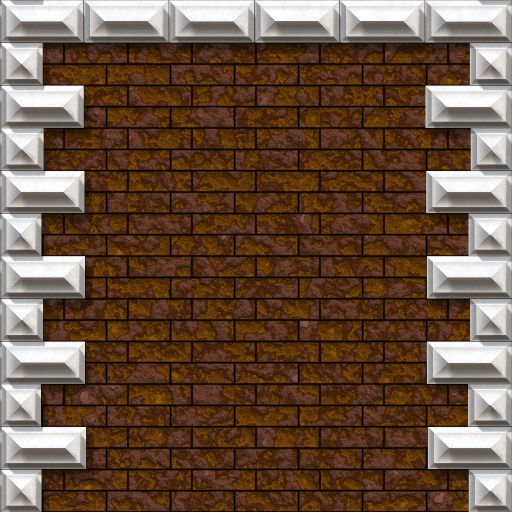
About This Filter
Author
Description
For making building facades, all you need to do is add a door or window and you're ready to go.When setting up new presets, best select Quoin Repeat first, then use 'Q. Column Width' to narrow the Quoin column as far as you want it to be.Normally, Quoins only appear on the edges, select whatever side you need the edge to be on using the 'Q. Side Select'. If you don't want the Quoins to be cut off at the edges, there is the 'Q. Edge Cut Selector'.There is also the possibility to use baked in shadows, turn that on by Setting Shadow Darkness to greater than 0, and set Shadow Complexity. One will use a very simple shadow and is slow. 4 uses a very complex shadow that looks much better,... and is even slower. You have been warned :) If you use a fuzzy shadow, high Shadow Complexity is probably unnecessary.Uses the following Snippets:Mike's Favourite Noise by Mike BlackneyIllumination/Shadow by Crapadilla
Keywords
Rusticated Quoin Corner Brickwork Brick Edge Rough Strong Firm Stones Foundation Masonry Miavir
Filter Details
- Downloads: 2335
- Submitted: Nov 15, 2007
- Usage Rank: Low
- Comments (5)
Filter Controls
- Quoin Repeat
- Q. Side Select
- Q. Row Selector
- Q. Column Width
- Q. Detail Scale
- Q. Details
- Q. Edge Cut Selector
- Q. Offset Right
- Q. Bond
- Q. Type
- Q. Chaos
- Q. Color Mode
- Q. Color 1
- Q. Color 2
- Q. Color 3
- Q. Hue Range
- Q. Sat Range
- Q. Light Range
- Q. Color Balance
- Q. Color Contrast
- Q. Bevel
- Q. Bevel Invert
- Q. Edge Bevel
- Q. Edge Bvl Width
- Q. Inset Flatness
- Q. Inset Width
- Q. Edge Enhance
- Q. Reflectivity
- Q. Refl. Blur
- Rustication Strength
- Rustication Scale
- Rustication Width
- Rust. Inside Width
- Rust. Stretch
- R. Stretch Vertical
- Bgr Select
- Bgr Repeat
- Bgr Bond
- Bgr Color Mode
- Bgr Color 1
- Bgr Color 2
- Bgr Color 3
- Bgr Color Contrast
- Bgr Color Balance
- Bgr Hue Range
- Bgr Sat Range
- Bgr Light Range
- Bgr Roughness
- Bgr Detail Scale
- Bgr Details
- Shadow Complexity
- Shadow Length
- Shadow Fuzzyness
- Shadow Angle
- Shadow Darkness