Login - Create Account

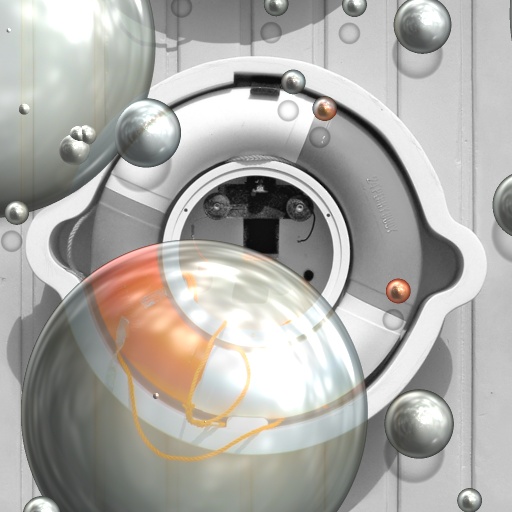
Color Bubbles

Bookmark and Share

This is one of over 4626 effects generated by Filter Forge, a Photoshop plugin that allows you to create your own filters.

This effect:

  • can be easily altered;
  • offers up to 30,000 variations;
  • can be applied to any source image in Photoshop.

Get a 70% discount on any edition!
Expires soon!
Buy today – save up to $280!

To open this filter, you must have Filter Forge 1.0 or higher installed on your computer. If you don't have it installed yet, click here to download Filter Forge

Author: LilBlueSmurf

Filter Details

  • Downloads: 3130
  • Submitted: Dec 29, 2007
  • Usage Rank: High
  • Comments (9)

Description

This is an attempt to simulate an old effect I used on photos. An image is desaturated and random bubbles are used to return color to the image.Notes: For best results, try to match the shadow angle to the HDR lighting. Seamless Tile does not work when you scale the bubbles.Might also be a useful starting point for people looking to simulate a bomber.Used modified (0 = straight right, counterclockwise rotate) Uberzev's offset angle snipet for bubble shadows.This is my first filter so any feedback or info on optimizing would be appreciated.

Keywords

Bubbles Bomber Color Desaturate Floating Water

Rewards

This filter has earned its author one of our rewards. They are given to the authors of popular filters and include a free copy of Filter Forge.

Filter Controls

  • Bubble Scale
  • # Small Bubbles
  • Sm Bubble Variation
  • # Large Bubbles
  • Lg Bubble Variation
  • Shadow Offset
  • Shadow Angle
  • Reflection