Login - Create Account

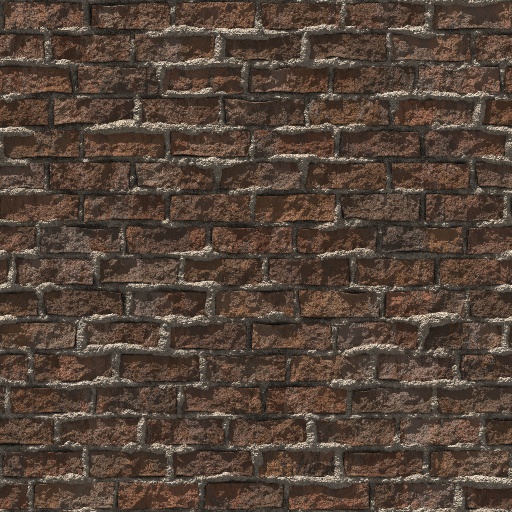
Bricks 2.0

Bookmark and Share
Bricks 2.0 (Texture)
2.0

This filter requires Filter Forge 2.0

Variations

Variation 1Variation 2Variation 3Variation 4Variation 5Variation 6Variation 7Variation 8

This is one of over 5039 textures generated by Filter Forge, a Photoshop plugin that allows you to create your own filters.

With Filter Forge, you can:

  • change the look of this texture easily;
  • browse through its 30,000 variations;
  • get a normal map for a 3D model.

Get a 70% discount on any edition!
Expires soon!
Buy today – save up to $280!

To open this filter, you must have Filter Forge 2.0 or higher installed on your computer. If you don't have it installed yet, click here to download Filter Forge

Author: jitspoe

Filter Details

  • Downloads: 998
  • Requires Filter Forge 2.0
  • Submitted: May 13, 2011
  • Usage Rank: Average
  • Comments (7)

Description

A new brick filter that takes advantage of some of the new features available in Filter Forge 2.0, including ambient occlusion and hard directional shadowing through map scripting. The first preset uses both (slow but highest quality). The 2nd uses just ambient occlusion. 3rd uses just directional lighting. 4th is AO again.The controls tend to be very touchy, so changing some values by more than 1 or 2 can have a significant impact on appearance.

Keywords

photorealistic brick realistic block grout mortar hard directional shadows

Filter Controls

  • Brick Color
  • H Range
  • S Range
  • L Range
  • Repeat H
  • Repeat V
  • Chaos
  • Mortar Size
  • Edge Slop
  • Mortar Color
  • Mortar Height 1
  • Mortar Height 2
  • Mortar Bevel End
  • Mortar Bevel Min
  • Mortar Overlap Start
  • Mortar Overlap End
  • Mortor Distortion
  • Small Bump Amt.
  • Large Bump Amt.
  • Large Bump Scale
  • Scrapes
  • Scrape Scale
  • Directional Lighting
  • Directional L. Enbl.
  • Light Pitch
  • Light Yaw
  • Shadow Step Count
  • Shadow Step Dist