Search Results
This filter requires Filter Forge 4.0 or higher.
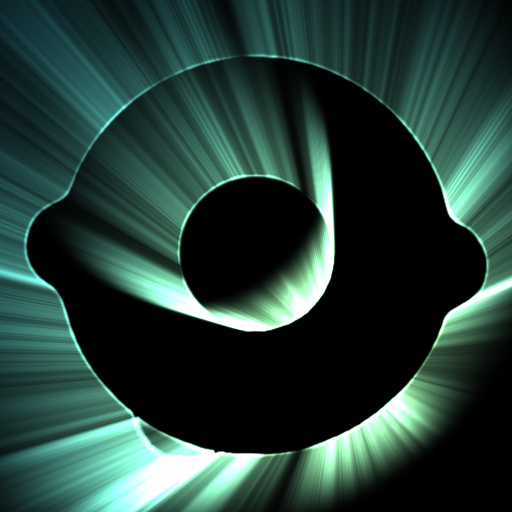
Light Burst by Crapadilla
#12155. Light Burst creates colorful rays of stark backlight "behind" the alpha of your source image. This filter uses a scale loop to approximate radial smudging. This approach has a quality advantage over using polar coordinate transforms on smudged bitmaps. However, this quality comes at the cost of rendering speed. Use the 'Ray Blur' and 'Quality (Iterations)' parameters for cleaning up loop step artifacts. These two parameters need to be tweaked in tandem ...
This filter requires Filter Forge 3.0 or higher.

Polar to cartesian and back by Nebukadnezar
#10577. This snippet will convert a square image from supposed polar coordinates to cartesian/rectangular and then back, without loosing parts of the original image. This can be useful, for example, if you want to apply a strictly linear component like smudge in a radial manner. You convert to cartesian, apply ...
This filter requires Filter Forge 1.0 or higher.

Un-Spherify by byRo
#701. Translation of polar coordinates into Cartesian. Keywords: transform polar cartesian byRo. Controls: Horizontal Offset, Vertical Offset
This filter requires Filter Forge 1.0 or higher.

Spherify by byRo
#682. Transforming cartesian in polar coordinates - useful for making circular textures. Keywords: polar cartesian transformation circular sphere spherize radius byRo. Controls: Inside-Out, Sphere Size, Rotation
This filter requires Filter Forge 1.0 or higher.

Spherify/Un-Spherify uberEDITION v3.1 by uberzev
#1762. This filter converts an image from rectangular to polar coordinates, and vice versa, according to the option selected. *Special thanks to byRo for his brilliant Spherify & Un-Spherify techniques which lend much of their logic to this effect. Keywords: spherify transform polar circular cartesian coordinates ...
This filter requires Filter Forge 1.0 or higher.

Radial Blur v4.1 by uberzev
... between Spin, Spiral, and Zoom effects using the angle slider. *Special thanks to byRo for his brilliant Spherify & Un-Spherify techniques which lend much of their logic to this effect. Keywords: radial blur blurry zoom spin spiral gaussian motion polar coordinates warp angle vortex uber zev. Controls: Zoom, Blur Radius, Blur Angle, Blur Detail, Gaussian, Sharpen Amount, Sharpen Radius, Contrast
This filter requires Filter Forge 1.0 or higher.
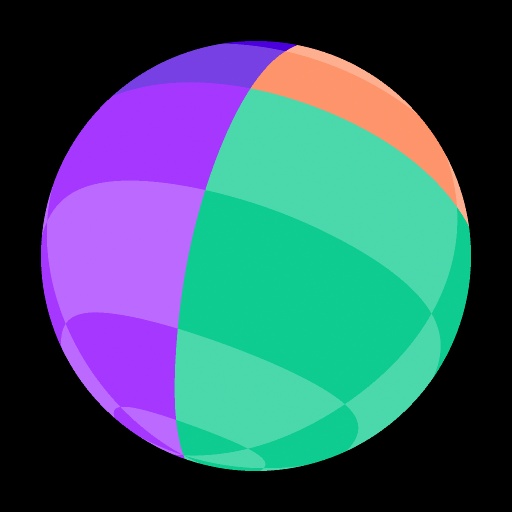
Rotatable Sphere Snippet V2 by ThreeDee
... simpler implementation, X-axis and Y-axis are relative to the sphere, Z-axis is relative to the viewer. This is slightly counter-intuitive but you can still rotate the sphere to any angle. Special thanks goes to Uberzev, whose snippets are used for polar coordinate transformation and Z-axis rotation. Keywords: snippet, sphere, 3D, rotation, x-axis, y-axis, z-axis, dimension, object, ball, orb, planet, mapping, texture. Controls: X-Axis Rotation, Y-Axis Rotation, Z-Axis Rotation, Use Image
This filter requires Filter Forge 1.0 or higher.

3D Sphere by ThreeDee
... and x-axis are relative to the the sphere and z-axis is relative to the viewer. Nevertheless, you can get the ball to rotate to any spatial orientation with a combination of the three. Special thanks goes to Uberzev, whose snippets are used for polar coordinate transformation and z- axis rotation. Keywords: sphere, 3D, rotation, x-axis, y-axis, z-axis, dimension, object, ball, orb, planet, bubble, mapping, texture. Controls: Image Repeat, X-Axis Rotation, Y-Axis Rotation, Z-Axis Rotation, Background,...
This filter requires Filter Forge 6.0 or higher.

Q-3D Mini Studio 01 by cellnoise
#14276. This is an optimized version of Q-3D Mini Studio. 3D generation without polar coordinates. You can load your own pictures and get full 3D support. XYZ Rotation. Images with AlphaChannel are supported. If you load a pattern, the Kaleidoscope effect is not required. The image scale function can be used to determine the number ...
This filter requires Filter Forge 6.0 or higher.

Q-3D Mini Studio by cellnoise
#14273. 3D generation without polar coordinates. You can load your own pictures and get full 3D support. XYZ Rotation. If you load a normal image, it is free of kaleidoscope effect. If you load a pattern, the Kaleidoscope effect is not required. The image scale function can be used ...


